


Put a recurring rule in the narrowest setting that should apply. Use project instructions for behavior inside one project, custom instructions for a general preference across ordinary chats, and memory for relevant background that can help across conversations. Check memory mode separately because an instruction does not define which chats the service may reference.
I'd save a rule that protects a deliverable in project instructions, then verify it in a fresh chat with a harmless example. A response saying “I'll remember that” does not show where the rule was stored.
Choose the rule's scope
- General preference: custom instructions, such as explaining unfamiliar abbreviations.
- Recurring project behavior: project instructions, such as preserving quotations in every draft.
- Personal background: memory, after reviewing what the account allows.
- One task: the chat prompt and its source material.
OpenAI's memory guidance distinguishes custom instructions from remembered context. Put exact figures and approved wording in the source you will check, not in memory.
Save the project rule
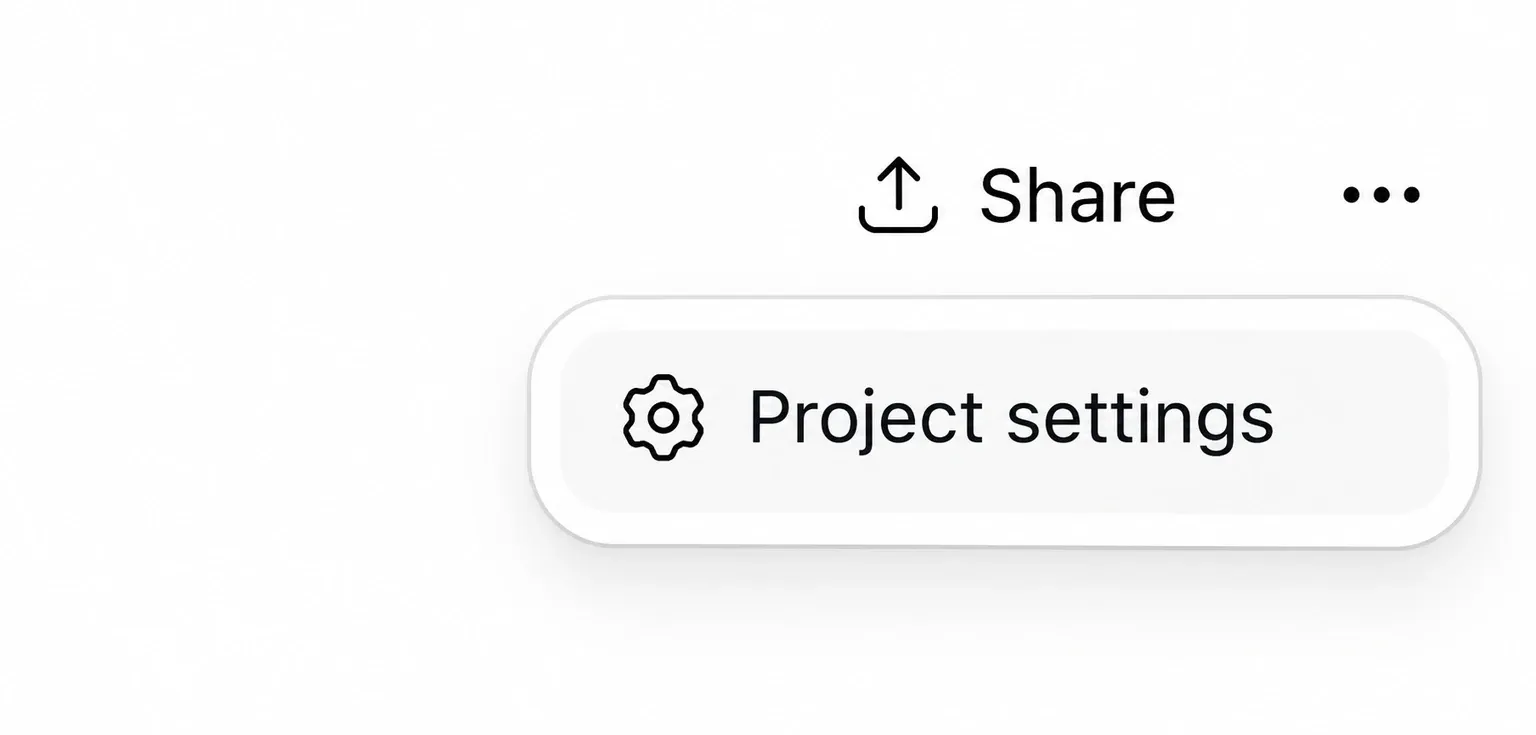
- Open the project and choose ••• → Project settings.
- Add the recurring instruction in the project instructions field.
- Write the behavior and its trigger in self-contained language.
- Save, reopen the settings and compare the stored wording with your approved copy.
OpenAI says project instructions apply inside the project and override global custom instructions. They do not replace source checking.
Set the memory boundary
Choose Project-only memory when project conversations should use context from that project without drawing on saved memories or outside chats. Private projects can change their memory mode in settings. Shared projects automatically use project-only memory and cannot switch back to default memory, even after members leave. Availability still depends on plan, region and workspace settings.
- Open ••• → Project settings.
- Under Memory, choose Default memory or Project-only memory.
- Select Save and reopen the setting. OpenAI says a mode change may take a few hours to take effect; allow that time before judging the result.
Default memory can reference saved memories and other chats when the account permits it. A project folder alone does not prove isolation. Memory scope also does not replace retention or access controls.
If project-only memory is unavailable, check the prerequisite controls. Turn on Enable memory when that is the control your account shows. With separate controls, Enterprise requires Reference saved memories and workspace memory; other subscriptions require both Reference saved memories and Reference chat history. A managed workspace must also permit memory. Check these settings before recreating a project.
Review remembered context
Open Settings → Personalization → Memory. You may see saved-memory controls, a summary or separate chat-history controls. A summary is not an item-by-item audit, and asking the assistant what it remembers is not proof that no other context was used.
Project memory has no equivalent complete item list. To stop a particular project conversation from informing future answers, OpenAI's project guidance describes deleting it or, where allowed, moving it. Preserve needed work first.
Test the rule in a fresh chat
Start a new chat inside the target project. Supply a made-up quotation and an event with no date, then ask for a draft. Check that the quotation stays exact, the missing date becomes [date needed] and suggestions stay outside the draft. If the behavior fails, edit the rule and repeat the same small check.
Trace unwanted carryover
Check project instructions and the current prompt first, then project files and sibling chats. In a private default-memory project, review memory controls and any context shown with the response. Saved memories are separate from chat history, so deleting the original chat does not automatically remove a saved memory.
Correct every relevant copy. If a file, connected app or saved response contains the old instruction, update or remove that source using its own control. For a conversation that should not use personalization, start a temporary chat and choose Unpersonalized before writing.
Finish by reopening the stored rule and repeating the small test in its intended project. Keep the approved wording with the source materials.