

For a short voiceover, I'd try Clipchamp when the immediate goal is a free audio-file experiment, Murf Studio when individual words and language variants need editing, and Cartesia when the file belongs in an API workflow. Murf requires a paid plan to download the result. Check commercial permission separately from free generation or export, and audition the exact voice and language before moving the full script.
Choose the workflow you need
Name the reason you're leaving ElevenLabs. A cheaper file, a clearer way to repair pronunciation, and a programmable generation step are different requirements. A phone-agent platform adds call handling that a prerecorded narration file doesn't need.
| Your requirement | Start here | Check before committing |
|---|---|---|
| Generate and export a short file without buying a subscription | Clipchamp | MP3 audio-only export is advertised as free; verify rights for the intended distribution. |
| Edit a difficult word or foreign phrase in a browser studio | Murf Studio | The trial auditions voices, but download/export requires payment. |
| Generate a file from a script or application | Cartesia Sonic 3.6 | Use a supported model and file format, control usage charges, and choose a tier permitting commercial use when required. |
Self-hosted speech models are a separate choice when local processing is essential and you're prepared to maintain the software. A free model download doesn't remove hardware, setup, voice-rights, or model-license requirements. For one short file, I'd establish that a browser route fails a real requirement before taking on that work.
If the project must retain an identifiable person's voice, settle that requirement before selecting a replacement. Confirm permission for the new provider and use authorized original recordings when creating a new clone. Don't assume access to a catalog voice or a generated ElevenLabs file grants permission to recreate that identity elsewhere.
Read the naturalness results in context
The Artificial Analysis provider-native voice leaderboard gives useful evidence about sound quality. Listeners compare blind pairs generated from the same text and choose the more natural sample; those votes produce Elo ratings. The following results are a November 24, 2026 snapshot from that single leaderboard, using each provider's own voices.
| Model | Elo and 95% interval | Samples / voices |
|---|---|---|
| Eleven v4 | 1,340; 1,326–1,354 | 2,957 / 8 |
| Sonic 3.6 | 1,294; 1,281–1,307 | 3,643 / 8 |
| Murf Speech Gen 2 | 986; 974–998 | 5,158 / 8 |
These results don't support a promise that leaving ElevenLabs will improve naturalness. They also don't measure the accuracy of your product names, the ease of editing a word, or the quality of the final file in your project. The providers use different voices, and Murf's Speech Gen 2 result doesn't establish how its other models perform. Clipchamp uses Azure Speech, but this board doesn't identify the exact Clipchamp voice and model, so there's no defensible Clipchamp score to add.
Choose the workflow that addresses the reason for switching, then compare a short passage in the voice and locale you intend to use. A supported language count doesn't establish equal quality for every accent or sentence.
Try Clipchamp for a free file experiment
Clipchamp combines a browser video editor with text-to-speech powered by Microsoft Azure AI Speech. Its voiceover feature page advertises free text-to-speech and MP3 audio-only export. That makes it a practical place to audition a short narration and obtain a file. Free export alone doesn't establish commercial clearance for the generated voice; confirm the applicable terms before using it in paid work.
- Create a project. In the documented personal-account interface, open Record & create → Text to speech.
- Select the language first, then choose a voice and listen to its preview.
- Paste the approved passage. Use advanced pitch and pace controls only when the delivery needs adjustment.
- Choose Preview to listen, then Save to add the track to the timeline.
- When the passage is approved, use the audio-only MP3 export option and listen to the downloaded file.
The Microsoft support instructions explain how to select the saved track and edit its text through the Text to speech panel. They also say the character limit varies by language; divide longer narration into separate text-to-speech items when needed. Don't assume ElevenLabs audio tags or emphasis tricks transfer: Microsoft says all caps and exclamation marks are unlikely to change delivery in this feature.
Choose Murf for word and locale controls
Murf is the route I'd examine when the sticking point is a name, a word with two readings, or a phrase from another language. Its Studio exposes pronunciation edits without requiring an API integration. Budget for export before spending time polishing: the trial includes ten minutes of voice generation, while project download and export require a paid plan.
The pronunciation instructions start with selecting a word by double-clicking or highlighting it. Open Pronunciation, choose the desired locale, and preview the reading. Use a Smart Suggestion, custom phonetic spelling, or alternative spelling only if the locale choice hasn't solved the problem. Apply the change to the block, or use Apply to Project when that same reading belongs throughout the script.
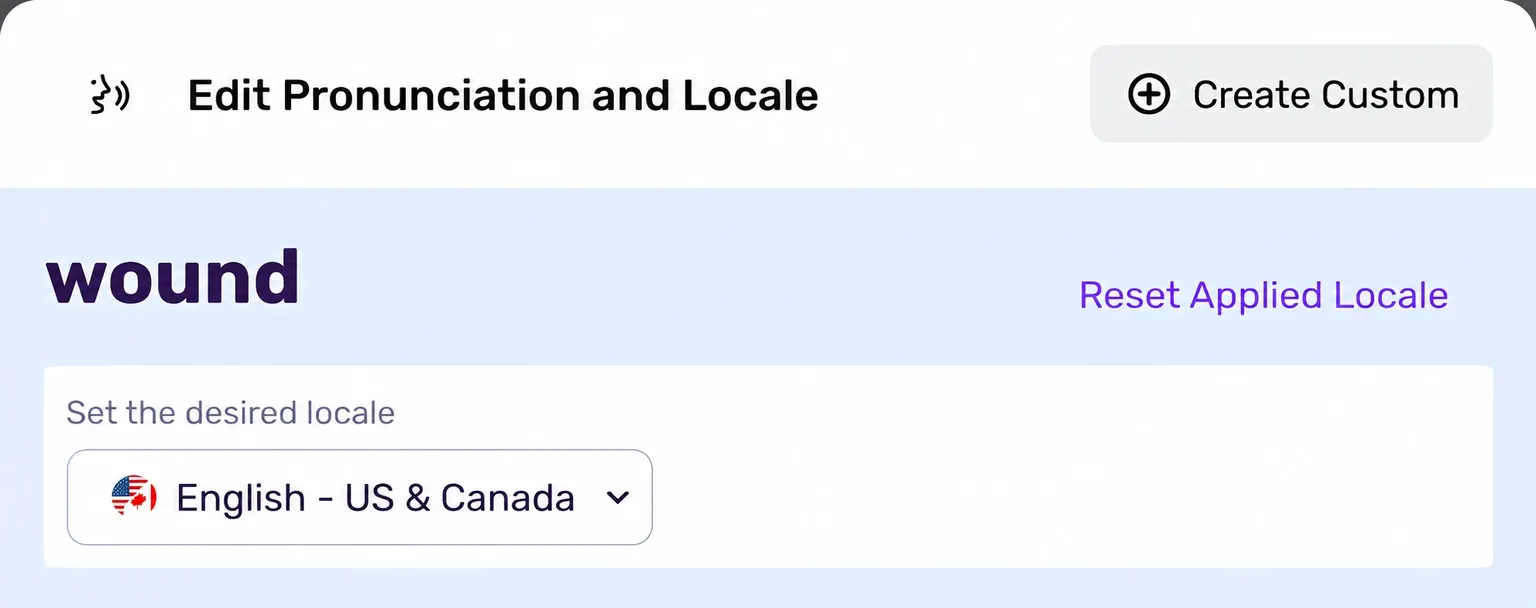
For a phrase containing several words, highlight the phrase, choose Change Locale, select the language, then render and preview the full sentence. Keep the surrounding sentence in the comparison so the correction fits its context. The organization-wide Pronunciation Library is Enterprise-only; individual word editing doesn't establish access to that shared library.
Murf's commercial-rights guidance covers paid Studio voiceovers when the content is original and doesn't infringe rights. Traditional TV and radio broadcast rights require Enterprise. Paid voice-only export supports MP3, WAV, and FLAC, so choose the format your editor or client needs before approving the final take.
Choose Cartesia for an API file workflow
Cartesia's Sonic 3.6 documentation offers the model through its playground and API, with support for 44 languages. I would choose this route when narration needs to be generated from an application or repeated file process. For a single clip, the extra integration work may offer little advantage over a browser studio.
Audition the intended voice in the playground first. Developers can then follow the official Generate to File example, which documents a Sonic 3.6 WAV workflow in SDK version 4.0.1. Choose the output container and encoding required by the receiving editor. The stable alias sonic-3.6 follows stable updates; a dated snapshot stays fixed. Use a dated snapshot when approving a repeatable production workflow, rather than the changing beta sonic-preview.
For recurring names, Cartesia pronunciation dictionaries accept IPA or sounds-like substitutions and attach to API generation through pronunciation_dict_id. The documented IPA phonesets cover English and Spanish, which is narrower than the model's full language coverage. Keep dictionaries private unless sharing is intended.
Check the usage rules before repeating requests: standard TTS costs approximately one credit per character, and successful requests consume credits. Enabled overages add charges beyond the subscription allowance; disabled overages stop requests that would exceed it. An accepted generation that you dislike still needs to be budgeted as a successful request.
Commercial use requires a tier that expressly permits it under the Cartesia terms. A commercial tier doesn't remove content restrictions. The terms prohibit certain advertising and require prior written consent for advertising and similar commercial activities described in their restrictions, so resolve an advertising project with Cartesia before generating its final voiceover.
Approve the replacement before moving everything
Use one short approved passage in each candidate voice. This constructed comparison script gives the reader several things to inspect:
Please send the revised invoice for $42.50 by Thursday. The project name is Solara. Close the meeting with “muchas gracias,” then leave a pause before the next sentence.Replace the invented project name and other details with the difficult words in your real script. Check the amount, the required pronunciation, the foreign phrase, the pause, and any missing words. Save the voice, model, locale, and approved take. Compare the exported file in its final context, because a preview that sounds acceptable alone may clash with background music or neighboring narration.
Confirm that the service is still available before following an old alternatives list. For example, the official Resemble product notice now says its commercial voice-generation product is no longer available, while its open models remain available for research and development. Those are different routes.
Move the full script only after the candidate delivers an acceptable file with permitted usage. If your only problem is the number of ElevenLabs retries, first compare that cost using the ElevenLabs credit guide; switching tools also creates another approval pass. Use the AI audio task guides for the next production step.