

When a NotebookLM citation does not support the sentence beside it, stop and audit that sentence against the original file. Select the citation, read the quoted passage in context, then open the source itself. Keep only the wording the source establishes; a second confident answer cannot replace missing evidence.
I'd start with one disputed sentence. It is easier to separate a supported number from an unsupported explanation or recommendation before the whole answer has been copied into a report.
Open the quote and the original
- Copy the exact sentence and the question that produced it into your notes.
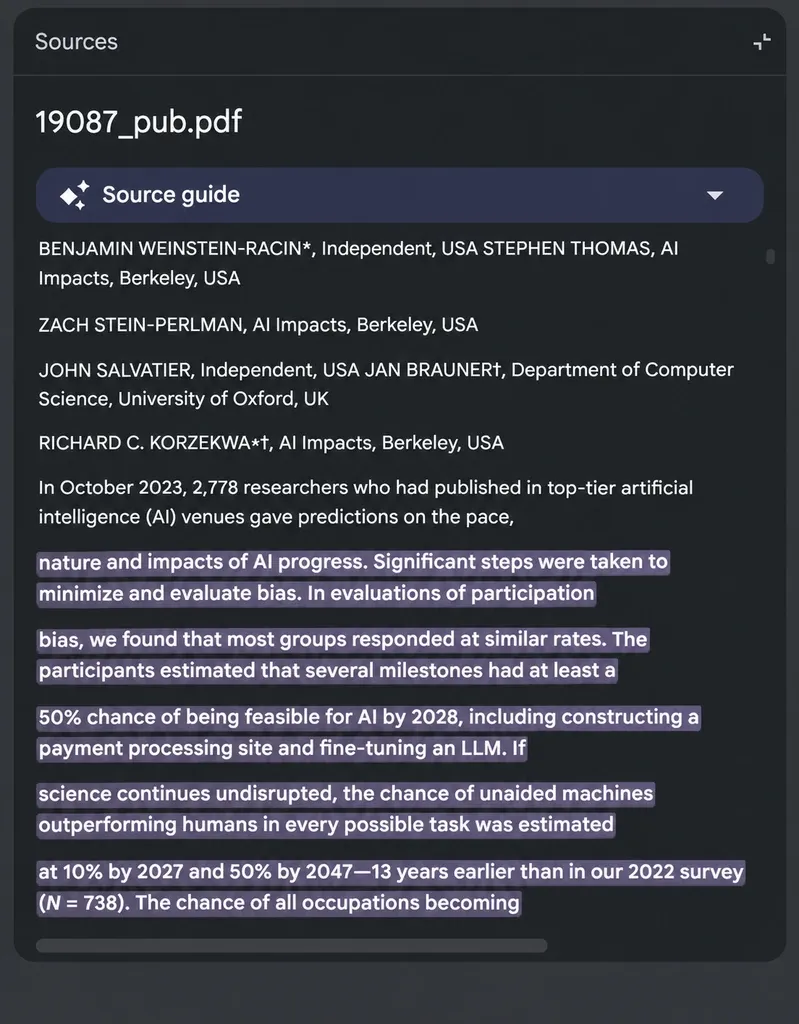
- Select the citation marker. Hover to read the full quote, then select it to jump to the passage in context.
- Open the source file or page separately. Check its title, version, heading and page number.
- Compare the sentence with the surrounding paragraphs before you keep, narrow or remove it.
Google's current Gemini Notebook citation guidance says citations expose quoted source text and let you navigate to the quote. A short source may be cited as a whole, so the absence of a highlighted sentence does not by itself disprove an answer. Find the statement in the document instead.
If a number is just text and does not open anything, do not invent a mapping. A public report of non-clickable citation numbers describes the symptom but does not establish its cause. Locate the supporting passage manually or leave the claim unverified.
Classify what the passage supports
| What the source shows | What to do |
|---|---|
| The same claim, scope and conditions | Keep the sentence and carry over the qualification. |
| Only part of the sentence | Split it; verify or remove the unsupported part. |
| Related topic, different claim | Ask for a passage that establishes the claim. If none exists, omit it. |
| Contradiction | Correct the sentence from the original and inspect dependent claims. |
| Unclear version or inaccessible document | Leave the claim unresolved until the source can be inspected. |
Check relationships, not just matching words. A source may describe an association while the answer claims a cause, or it may apply to a pilot group while the answer generalizes to a company. For a number, compare the row, unit, period and denominator.
Use a constructed check such as: “Participants reported shorter drafting times after the workshop; the pilot had no control group.” That supports a report about participants. It does not establish that the workshop caused faster drafting across the company.
Limit the source set before asking again
Select the relevant document in the Sources panel and name it in the request. Google's source-selection guidance explains that a focused subset helps retrieval. It does not turn a generated answer into proof.
Check this claim against the selected source only:
[Paste one disputed sentence.]
Find the shortest passage that supports or contradicts it.
Quote the source exactly and separate its statement from your inference.
Check names, dates, units and conditions.
If you cannot find support, say so instead of filling the gap.
Open the new citation and repeat the original-document check. A generated quotation can also be wrong. Keep the exact prompt, source selection and answer beside the corrected sentence.
Separate import problems from interpretation
When the original contains the passage but NotebookLM does not show it, inspect how the source was imported. Google's documentation says Google-file footnotes and comments are not imported, HTML imports page text rather than embedded media, and YouTube imports the transcript. Follow the source-import rules for the format, then check the original chart, comment or video when the claim depends on it.
Updating a source does not revise an existing Studio output. Preserve the old output, refresh the source, generate a new response and compare the new citation with the current file.
Record unresolved conflicts
Compare issuing body, effective date, population, definitions and units when two documents disagree. Agreement by several files is not authority. If the source set cannot resolve the conflict, write what each document says and find the authoritative version before making a consequential decision.
Save the corrected sentence with the source title, version, heading and a short quotation. The citation is useful only when another reader can locate the evidence.