

You can use an AI image commercially when the service permits your intended use, you have the necessary rights to the inputs and output, and the use meets your delivery terms. A paid subscription doesn't settle all of those questions. I'd check the exact image before putting it in an ad or promising a client exclusive rights; the provider's permission and copyright protection are different things.
Name the image and its intended use
Start with the downloaded file you intend to publish. Write down its filename and the placement: for example, a background in your own shop's homepage banner. Selling the image as a downloadable stock asset is a different use. So is supplying it to a client who expects exclusive ownership.
Record the service that produced the image, the model or feature if shown, and the account and plan used for that generation. Keep the creation date. If an editor offers several providers, a permission statement for one model doesn't establish the terms for another. OpenAI's terms distinguish its own output from third-party output, which follows separate terms.
For an existing file with an uncertain origin, pause the commercial handoff until you can identify its source. A filename containing a tool's name, a missing watermark, or somebody else's assurance that the image is “royalty-free” isn't the permission record. Ask for the generating service and the terms that cover the asset.
The copyright examples below follow US Copyright Office guidance. A campaign distributed elsewhere can require a different assessment; don't apply the US authorship conclusion as a worldwide clearance rule.
Check the permission for your service and plan
Open the provider's actual terms and commercial-use guidance. Check the allowed use against your placement, including client delivery or resale where relevant. Save the applicable version with the image's record. If an older image was made under different terms, establish the permission for that asset rather than assuming an upgrade fixes its history.
| Service | Relevant permission | Condition to carry into your check |
|---|---|---|
| ChatGPT for individuals | OpenAI permits reprinting, selling, and merchandising output from free or paid plans, subject to its policies and terms. | The terms assign OpenAI's rights, if any, to you to the extent permitted by law. They don't assign other users' output or third-party output. |
| Midjourney | Midjourney allows commercial use of images you create, with stated exceptions. | A business grossing more than $1 million a year needs Pro or Mega for company use. Upscaling another user's image doesn't make that image yours. |
On a small screen, scroll the table sideways. These examples show why “free means personal use only” is an unreliable shortcut. Read the permission for the actual tool. A third-party app that offers an OpenAI model also has its own service relationship; don't substitute ChatGPT's consumer FAQ for that app's terms.
For Midjourney, the precise Content Rights clause covers a company or any employee of a company with more than $1 million in annual revenue. It requires Pro or Mega to own the assets under the agreement. The clause also says ownership of assets you created persists if you later downgrade or cancel. Those contractual rights remain subject to the agreement and third-party rights.
Pay attention to rights you grant the provider too. Midjourney's terms grant it a broad, nonexclusive license to inputs and outputs. I'd resolve an exclusive-delivery requirement before generating there; paying for commercial permission doesn't remove that provider license.
Review references and the finished image
Check every uploaded reference before checking the result. Permission to download or display a picture doesn't by itself establish permission to submit it to an AI service and use the resulting edit commercially. OpenAI requires the rights, licenses, and permissions needed to provide the input. Midjourney likewise makes you responsible for the content you provide or generate.
For a stock photograph, read the stock license's AI and modification conditions. For a client photograph, confirm both the intended edit and the outside processing. If a person is pictured, resolve permission for the intended commercial depiction separately from the photographer's rights. Keep confidential source material out of a service until its handling is approved.
Then inspect the final export at a useful size. A prompt that never mentioned a brand can still produce lettering or a recognizable design. Look for the following reasons to pause:
- Recognizable protected content: a character, artwork, or composition that appears to reproduce somebody else's work.
- Brands or endorsement: logos, packaging, or other distinctive branding that could make the ad appear connected to another business.
- A recognizable person: a real person's face or likeness, including an apparent celebrity endorsement.
- False product details: an altered label, extra accessory, or changed feature that misrepresents the item being sold.
VLP's analysis separates copyright, trademark, and likeness risks. These are reasons for a rights review, not a visual test that can certify legality. A reverse-image search can help investigate a suspected match; an empty result doesn't establish clearance.
I'd replace an unnecessary lookalike with a generic design or an authorized asset. For a campaign built around a recognizable person, brand, or character, hold the image until the necessary permission or legal assessment is documented. Cropping a logo or changing a few details doesn't establish that every underlying issue is gone.
Separate commercial permission from copyright
A provider can permit commercial use without creating an enforceable copyright in the image. In its explanation of AI output copyrightability, the US Copyright Office says protection requires sufficient human determination of expressive elements. Human-authored material visible in an output, creative arrangements, and creative modifications can qualify. Merely providing prompts doesn't establish that control.
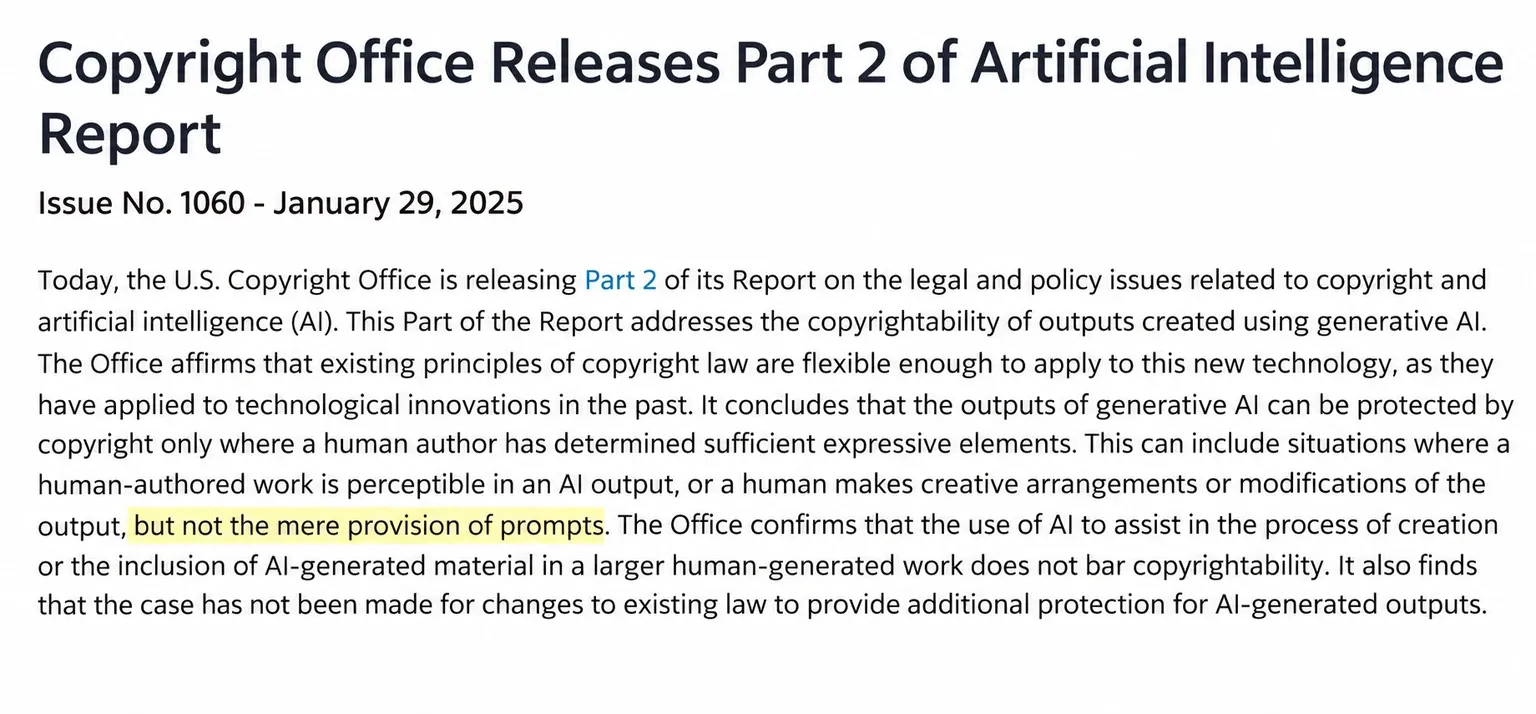
The Office's Part 2 report assesses the human contribution case by case. Repeated prompting and the effort spent choosing a result don't alone turn the generated expression into human authorship. Keep records of your work, but don't treat the number of prompts or an editing percentage as a copyright formula.
A useful real outcome is the Office's decision on Zarya of the Dawn. It recognized the author's text and the selection, coordination, and arrangement of the book's written and visual elements, while excluding the Midjourney-generated images themselves. The protected contribution and the raw image had different scopes.
For a commercial composite, identify your own expressive contribution: perhaps an original drawing retained in the result or creative arrangement in the finished design. Preserve the layered file and editing history. Adding a caption or running a color adjustment doesn't automatically give you copyright over all the generated pixels. Editing also doesn't erase restrictions on somebody else's material.
Likewise, an image's lack of copyright protection for its AI-generated elements isn't permission to ignore a person's likeness, an existing work, or a contract. Don't advertise a raw output as an exclusive copyrighted asset merely because the tool says you “own” it.
Check client promises and indemnification
Before delivery, compare the proposed asset with the client's agreement. Identify any requirement for original human authorship, a copyright assignment, exclusive use, or disclosure of AI. Resolve the mismatch before handing over the file. I wouldn't promise exclusive copyright in a prompt-only output; that promise exceeds the US authorship basis described above.
If the client accepts an AI-generated component, describe the permitted use and the rights you can supply. For example, agree on use of the background in a named campaign without promising exclusive copyright in that background. Identify any separate human-authored design contribution. Don't label the entire file “full copyright assigned” when that scope hasn't been established.
OpenAI's consumer terms say output may not be unique and require review before use. They prohibit representing output as human-generated when it wasn't. Check the destination's disclosure rules too: a generator's permission doesn't answer an ad network's or marketplace's submission requirements.
If a provider advertises indemnification, find the clause that applies to your account. Indemnification is a contractual agreement to defend or pay for specified claims. It has conditions; it isn't a guarantee that an image can't infringe.
For example, Adobe's enterprise legal FAQ describes a separately purchased entitlement and exclusions. It lists modifications, combined material, and the context of use among matters that can exclude a claim from coverage. Confirm the eligible feature, applicable contract, and claim conditions for your own project. A general statement that a tool is “commercially safe” doesn't replace that check.
Keep the generated original as well as the edited deliverable when coverage may depend on the change. If the required coverage or transferable rights can't be established, choose an authorized alternative that meets the contract. For a valuable campaign or a disputed likeness, get a rights professional to assess the specific asset and placement before release.
Save the evidence and choose the next step
Keep a short record beside the image. It should let another person identify the exact file, understand the permission you're relying on, and see any unresolved condition. A useful record includes:
- Asset and use: final filename, creation date, intended placement, and recipient.
- Provider permission: service, model or feature, account and plan, applicable terms, and any relevant purchase record.
- Inputs and edits: reference permissions, relevant releases, generated original, and evidence of your human contribution.
- Delivery decision: output concerns reviewed, client requirements, destination disclosures, and any remaining restriction.
Suppose you've made an abstract background for your own shop, with no uploaded reference or identifiable subject. Your record can state the specific service permission, the checks performed on the final export, and the approved placement. It shouldn't claim that the background has exclusive copyright or that a legal clearance test was passed.
Choose use when the documented permission covers the placement and the required checks are resolved. Choose revise when you can remove a problem and then review the replacement file. Choose hold when the asset's source, a required right, or a client condition remains uncertain. Mark the open question explicitly rather than treating an unfinished check as approval.
If you need a replacement, write a fresh image brief around the visual attributes you need, without unnecessary borrowed branding or identifiable people. Keep the brief and its permission record together. The Images guides provide the next creation or editing step after that decision.